
Tracing issues
If shots are not being traced on the range, the cause can vary and may require support investigation. The quickest way to resolve this is to contact Toptracer support directly.
Contact support
- Open TRMS
- Go to Support
- Select Submit request
This is the fastest way to get help.
When submitting a request:
- Fill out the form
- Select Tracing issues in the issue type dropdown
Before submitting your request
You can speed up troubleshooting by preparing the following information.
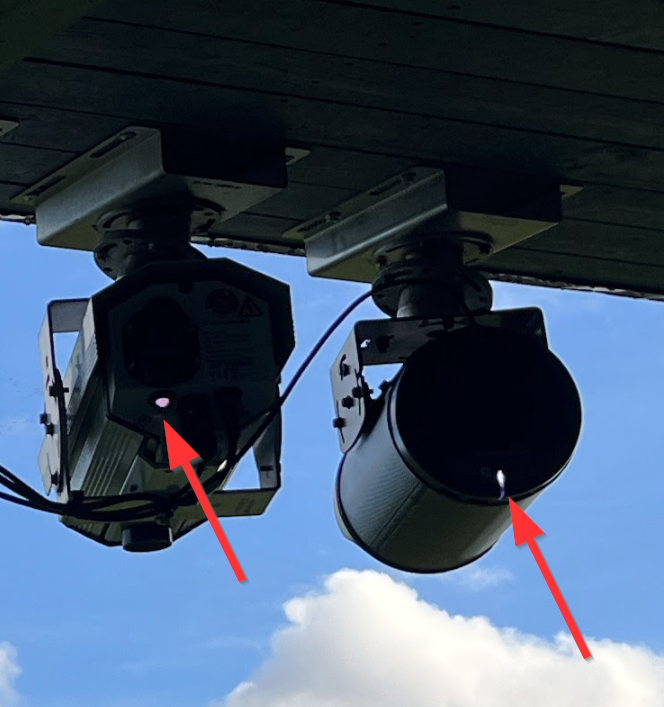
Check the camera LED status
If the cameras on the range have LEDs in the back:
- Note the color of the LEDs
- Include this information in your request
For better understanding of what the different colors mean, see the LED status guide.
Confirm basic connections
You will be asked if any actions have already been taken. Before submitting, you can:
- Confirm that the camera has power
- Reconnect the network cable to the camera
These steps are optional, but completing them can help support diagnose the issue faster.
Other ways to contact support
You can also contact support by:
- Phone
However, submitting a request through TRMS is recommended, as it ensures all required details are included from the start.
For more information, see the article on how to contact support.
Prevent future tracing issues
Following a regular preventative maintenance routine can help reduce the risk of tracing issues on the range.
For guidance, see the maintenance checklist article.